
Send an estimate customers can approve online, line by line.
Build itemised estimates with labour, parts and VAT calculated for you, then send a link by email or text. Customers approve or decline each line on their phone, decisions given by phone or in person are recorded with who gave them, and approved work becomes the job.
Giving a customer a rough price on the phone is a recipe for disputes, and waiting for them to ring back holds up the ramp. AutoChain's estimates deal with both. Build an itemised estimate with every labour line, every part and VAT calculated for you, with HaynesPro labour times if you have the add-on, then send the customer a link by email or text. They see each item with its price, approve or decline it line by line and send their decision from their phone. If they tell you on the phone or at the counter instead, record the decision with the name of the person who gave it, and it goes into the job's authorisation history with the date and time. Approved work carries onto the job, and work they decline is offered again the next time the car comes in.
- First month free on the core plan
- No card required
- Set up in about 10 minutes
- Cancel anytime
From independent bays to multi-site groups, built for the way you work.
Get started freeApproval on the customer's phone, recorded on the job
The link opens a page with your garage name, the customer's name and each item with its price. If the work came from a health check, the findings are shown with it. The customer approves or declines each line, or approves them all, sees the total for the work they approved and sends their decision. Links expire after seven days by default.
Some work only makes sense together. Group lines so they are approved or declined as one, or mark that one line needs another, and the page keeps to it. If a line is safety-critical, the customer has to tick to confirm they have been advised the work is needed before they can decline it, and declined safety work prints as advised, not done, on the invoice.
Not every customer answers a link. Record a decision given by phone, in person, by email or another way, with the name of the person who gave it. Every decision, online or recorded, goes into the job's authorisation history with when it was made, how, by whom and at what price, and you can print it.
If you change the estimate, the customer gets a new link that shows what they already decided. When they approve a standalone estimate, AutoChain creates the job with just the approved work, ready to give a day on the Workshop screen. Work they decline stays on the vehicle's record and is offered again at the next check-in.
What your customer sees
One tap on the link opens the estimate on the customer's phone, with your garage name on it. No app and no login.
-
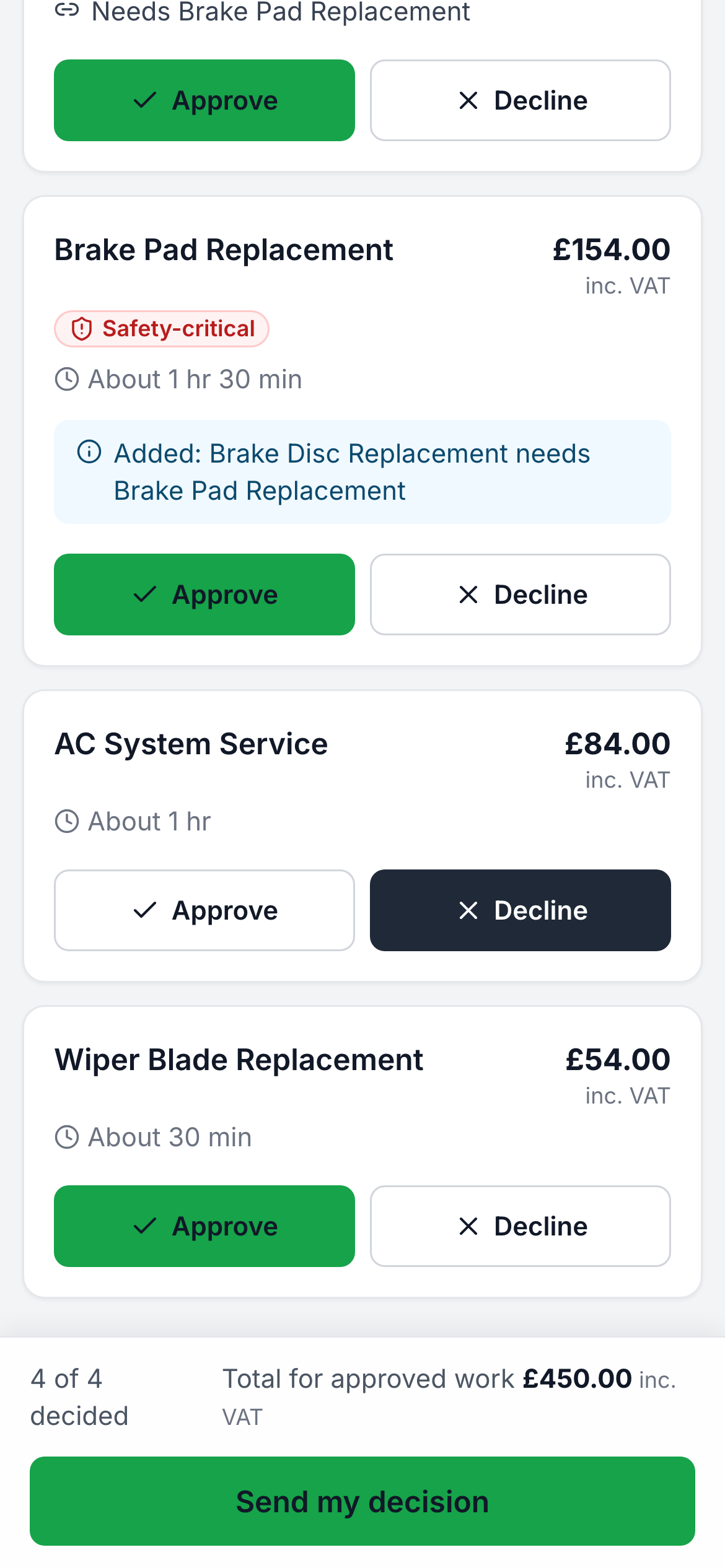
Each item with its price, to approve or decline. -
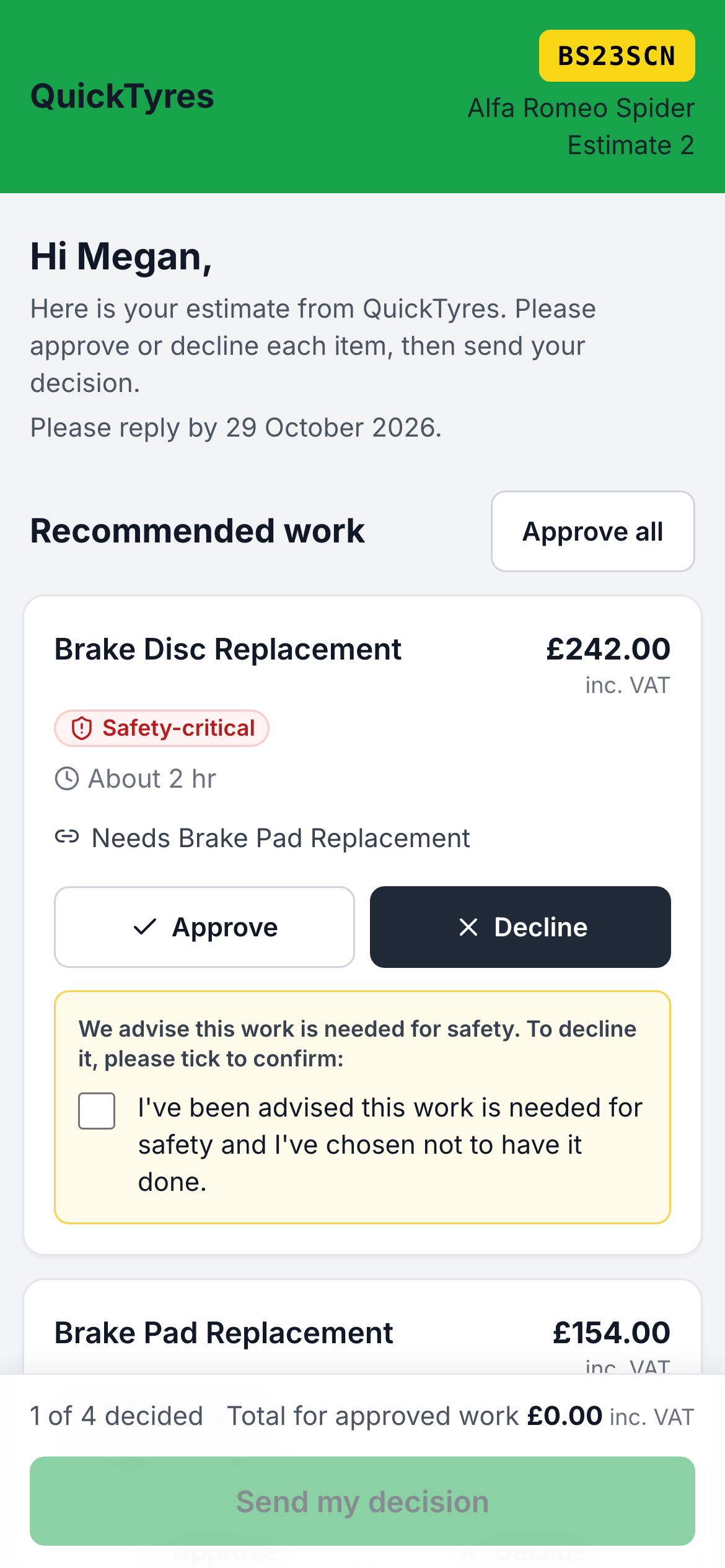
Safety-critical work needs a tick to confirm before it can be declined. -
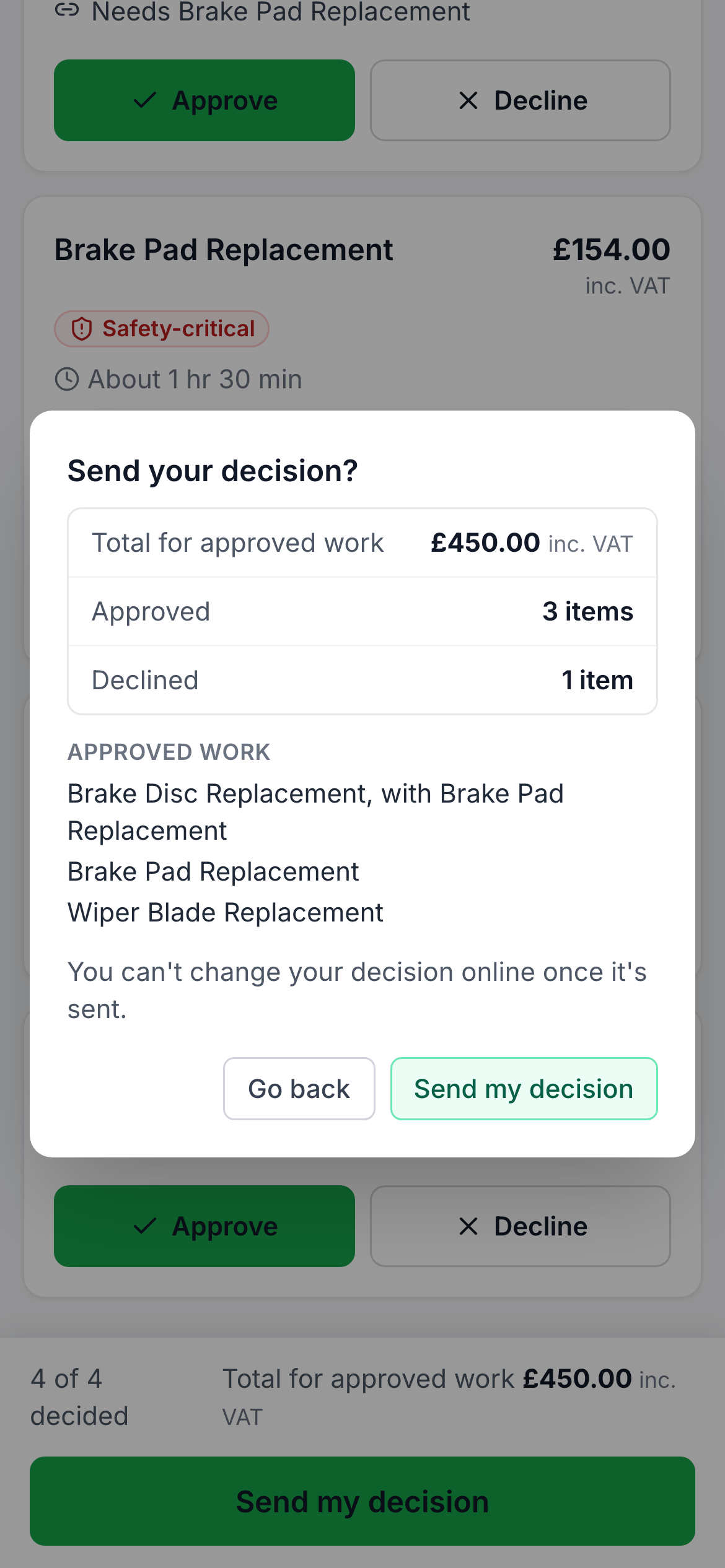
A summary of what they approved and the total, before they send it. -
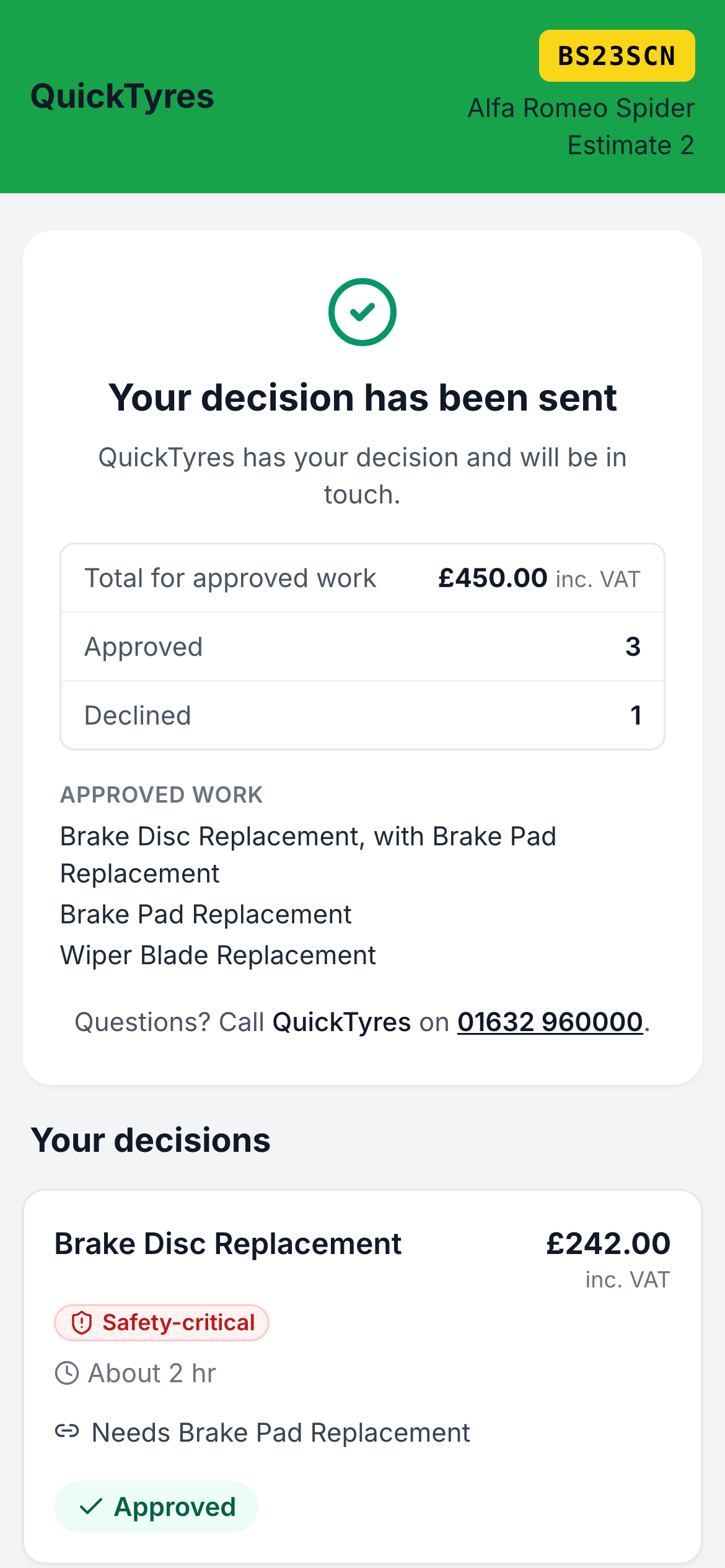
Their decision is sent straight to your garage.
Every capability, at a glance
Everything on this page is in the core plan (£69.99/mo + VAT) unless it's marked as an add-on. SMS (£15/mo, 200 credits included) and HaynesPro (£49.99/mo per site) are optional add-ons. Prices exclude VAT.
- Itemised labour and parts, with VAT calculated for you
- HaynesPro labour times (HaynesPro add-on)
- Send an approval link by email, or by text (SMS add-on)
- Customers approve or decline each line on their phone
- Safety-critical work needs a tick to confirm before it can be declined
- Lines that belong together are approved or declined together
- Record decisions given by phone, in person or by email, with who gave them
- Authorisation history: who decided what, when, how and at what price
- Health check recommendations become a linked estimate on the job
- Approving a standalone estimate creates the job for you
- Declined work offered again at the next check-in
- Branded estimate emails and A4 printouts
Simple from day one
Setup takes about 10 minutes and there's no training course to sit through. Built for busy garages.
-
Build the estimate
Add labour lines and parts, set your rates and AutoChain calculates the total with VAT. With HaynesPro you can add published repair times as labour.
-
Send it for approval
Send the customer a link by email or text, or copy the link to send another way. Texts use credits from the SMS add-on.
-
The customer decides on their phone
They approve or decline each line, or approve everything, and send their decision. Safety-critical items need a tick to decline.
-
Record any other decisions
If the customer rings or calls in, record their decision with who gave it. It joins the job's authorisation history with the date and time.
-
Approved work becomes the job
Approved lines carry onto the job. Approving a standalone estimate creates the job for you, ready to give a day.
Ready to see Estimates in your garage?
The real impact on your garage
-
A quicker yes, less waiting
Customers approve from their phone instead of ringing back, so the car spends less time on the ramp waiting for a decision.
-
A clear record of what was agreed
Every decision, online or by phone, is kept on the job with who made it, when and how, so there is no argument about what was authorised.
-
Safety advice on record
When a customer declines safety-critical work, their acknowledgement is recorded and the invoice shows the work as advised, not done.
-
Win back declined work
Declined items are offered again when the car next comes in, with the price quoted then and the price today.
-
Fewer disputes
An itemised estimate means you and the customer agreed the price upfront, so payment conversations become much simpler.
-
Nothing goes stale
Estimates have a validity period (30 days by default), and the estimates list shows which are pending and which have been booked in.
Estimates: common questions
Straight answers to what garages ask us about this feature.
Can customers approve an estimate online?
Yes. Send the estimate by email or text and the customer approves or declines each line on their phone, then sends their decision. Texts use credits from the SMS add-on.
What if the customer approves by phone?
Record the decision on the estimate, choosing phone call, in person, email or other, and the name of the person who gave it. It is saved in the job's authorisation history with the date and time.
Can a customer decline safety-critical work?
Yes, but they have to tick to confirm they have been advised the work is needed for safety. The decision is recorded, and the work prints as advised, not done, on the invoice.
What happens when an estimate is approved?
Approved lines carry onto the job. If the estimate was standalone, AutoChain creates a job with just the approved work, ready to be given a day.
How do health checks and estimates work together?
Recommended work from a health check becomes a linked estimate on the job, and the customer sees the health check findings with each item when they decide.
How long is an estimate valid for?
Estimates are valid for 30 days by default, and you can change the validity period in your invoice and estimate settings. Approval links expire after seven days by default.
Guides and articles
Run your garage smarter from today
Join 100+ UK garages, from single-bay workshops to multi-site groups, already streamlining jobs, customers, MOTs and online bookings with AutoChain from £69.99/mo + VAT.
- Set up in about 10 minutes
- No long-term contract
- Cancel anytime