
HaynesPro and GSF: priced jobs in minutes
Quoting a job usually means HaynesPro in one tab, GSF in another, a phone call to check stock and a calculator for the markup. AutoChain brings it together. Choose the work in HaynesPro and the labour time and parts arrive on the estimate, priced and ready to send.
Works with HaynesPro and your own GSF Car Parts trade account.

How it works
-
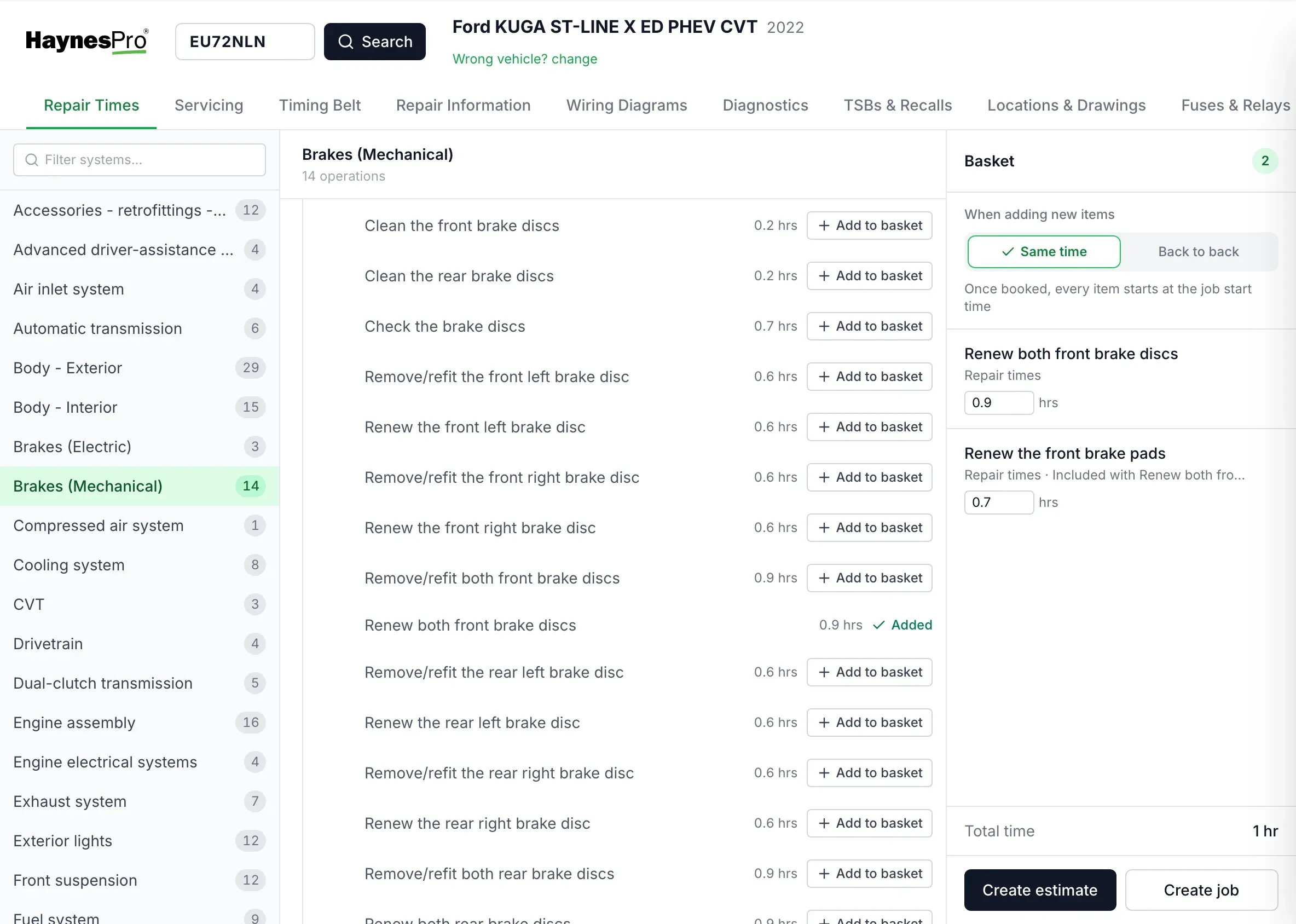
Pick the work
Search the reg in HaynesPro and add the jobs you need, like front discs and pads.
-
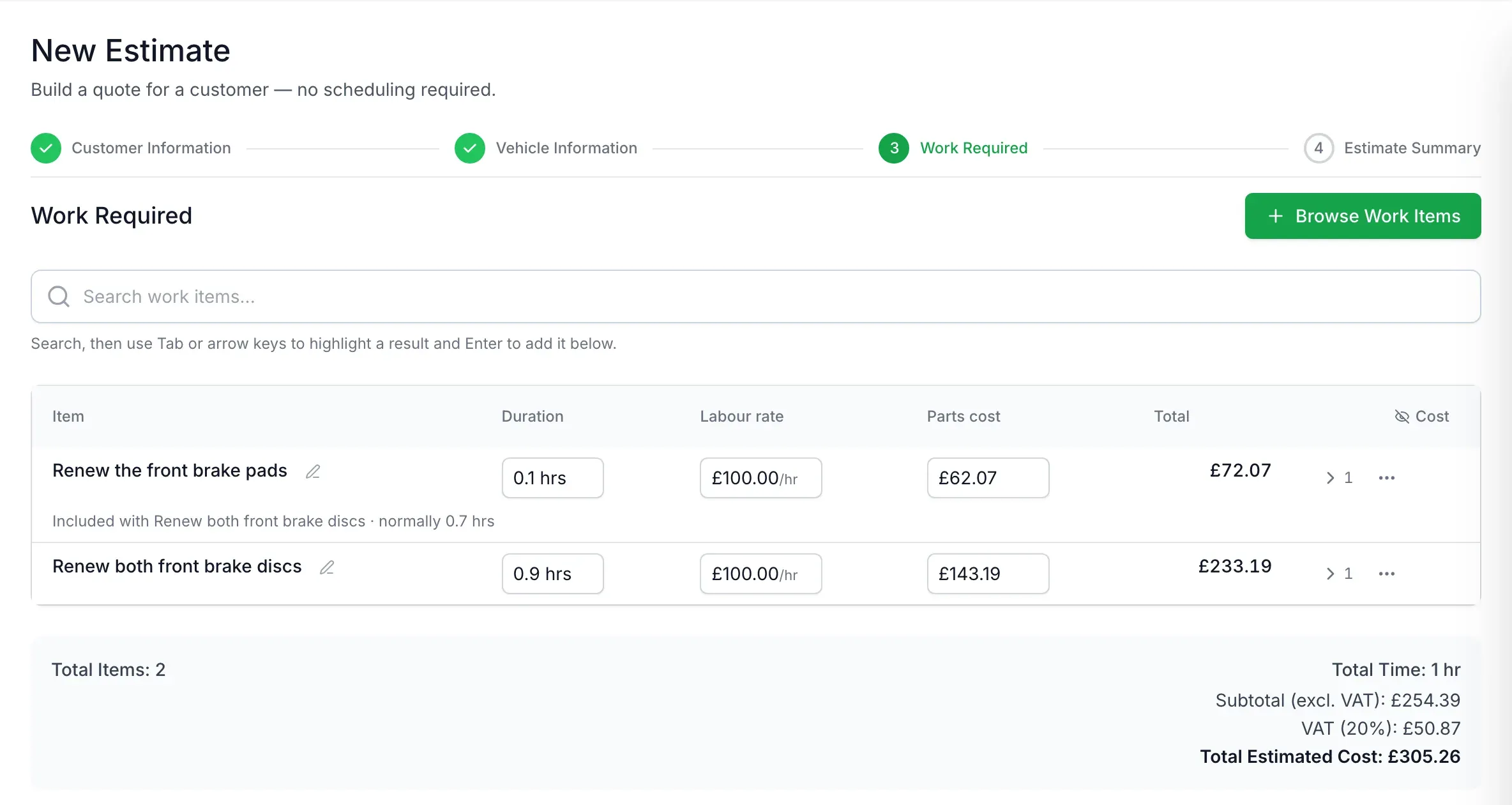
The parts arrive
AutoChain asks GSF for the parts that fit that car and adds them with your trade cost, your selling price, stock and delivery time.
Example prices -
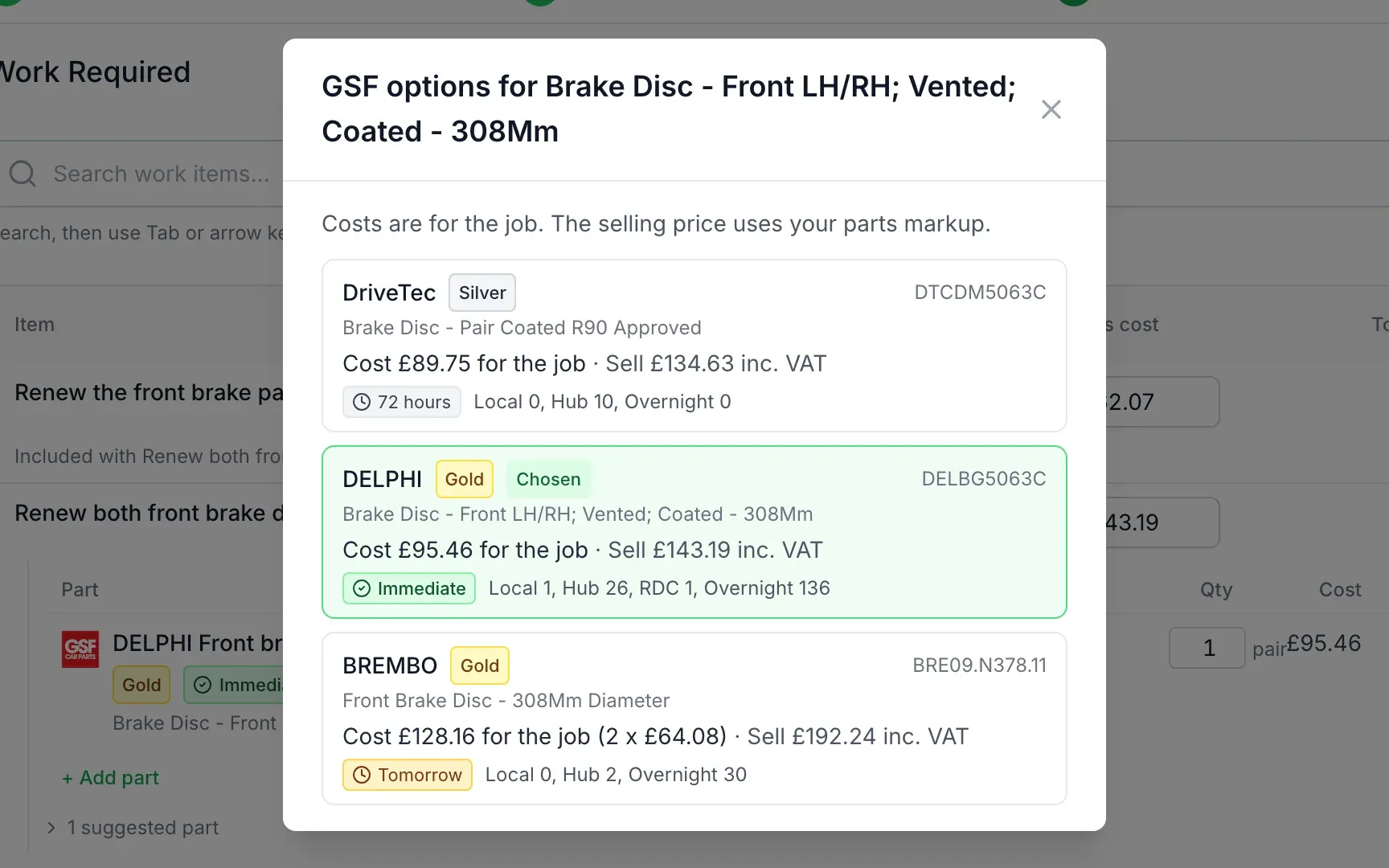
Choose Bronze, Silver or Gold
Pick from Bronze (budget), Silver (mid-range) or Gold (premium and OE quality) parts, with each option's cost for the job, selling price and when it can be with you.
Example prices -
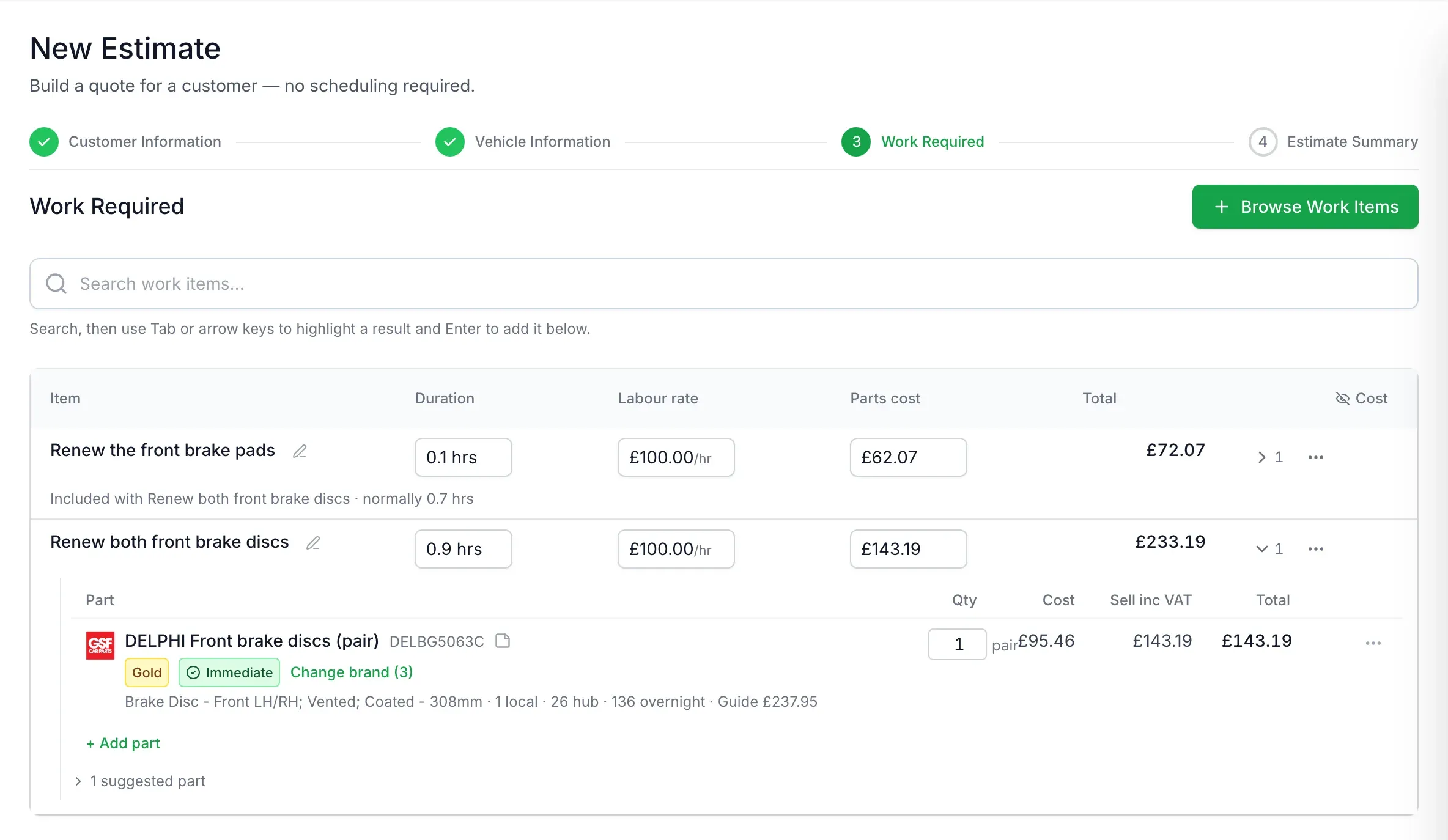
Send the quote
Labour and parts are done. Send it to the customer or book it straight in.
Example prices


Why it helps
-
Quotes in minutes
No copying part numbers between websites.
-
The right parts for the car
GSF matches parts to the exact vehicle and the HaynesPro job, and options for the wrong side are left out.
-
Your prices, done properly
Your own markup on your own trade cost, worked out correctly whether you're VAT registered, not registered or price including VAT.
-
Labour counted once
When jobs overlap, like discs and pads, AutoChain uses GSF's combined repair times so the shared work is only charged once and the customer gets a fair price.
-
Pairs and singles handled
A pair of discs is one pair, single rotors are two, and four spark plugs are four.
-
Stock and delivery
See local, hub and overnight stock with GSF's delivery estimate before you promise a date.
-
Prices kept up to date
AutoChain shows when prices were last checked, and you can refresh them with one click.
-
Nothing slips through
Any part that still needs a price is clearly flagged, and AutoChain warns you before a quote goes out with a gap in it.

No gaps in your quotes
A part GSF can't price is marked "Needs a price" so you can't miss it. Search GSF, use your own stock or enter a price yourself, and AutoChain warns you before a quote goes out with a part still unpriced.
Use your own stock too
Got oil in a barrel or filters on the shelf? AutoChain can check your own stock first and matches oil by grade and spec, so the 0W-40 Renault RN17 oil HaynesPro asks for is found in your barrel and taken by the litre. Short on stock? Use what you have and get the rest from GSF.

Extra work, your way
Found worn pads on a car that's already in? Add the work straight to the job, or send it to the customer to approve first. Every addition is recorded so there's never a question about what was agreed.

Invoices matched for you
GSF invoices and credits are matched to the right job automatically, so you can see what each job's parts really cost.
Still want to browse?
Everything else from GSF is still there. Open Browse GSF to search the full catalogue for consumables, accessories and anything not tied to a HaynesPro job.
More about GSF in AutoChain More about HaynesPro in AutoChain Compare AutoChain with LaunchControl
Questions
Do I need my own GSF account?
Yes. AutoChain uses your GSF trade account, so the prices you see are your prices and the stock comes from your branch. You can request the connection from your AutoChain settings.
Do I need HaynesPro?
They work best together. HaynesPro provides the labour times and tells AutoChain which parts each job needs. GSF provides the parts and prices. You can use either on its own: HaynesPro still gives you labour times, and GSF still lets you browse and add parts.
How are selling prices worked out?
From your own markup on your own trade cost, with VAT handled correctly for your setup. GSF's guide price is shown to your staff for reference only and is never used as your selling price.
What if GSF doesn't have a part?
It's flagged as "Needs a price" so you can't miss it. Search GSF, use your own stock or enter a price yourself. AutoChain warns you before a quote goes out with a part still unpriced.
Will I be charged labour twice when jobs overlap?
No. When jobs share work, like discs and pads, AutoChain takes the shared time off using GSF's combined repair times and shows you why a time has been reduced.
Can I choose the brand?
Yes. AutoChain picks a sensible default, the cheapest in stock at your branch, and you can switch to any other brand GSF has for that part.
Can I use my own stock?
Yes, including oil in barrels or bottles taken by the litre. You can choose to have your own stock checked first.
Are prices up to date?
Prices and stock are checked when parts are added, the estimate shows when they were last checked, and you can refresh them at any time.
Does it change my existing jobs or prices?
No. Only new work you add uses the new pricing, and prices never change on their own: when AutoChain re-checks GSF, you choose whether to update. Lines a customer has agreed only change if you confirm it, and labour times you've typed yourself are left alone.
What do you share with GSF?
Only what's needed to find and price parts: your GSF account number, the vehicle's registration, the HaynesPro jobs and the parts being priced. Your customers' details aren't sent to GSF.
Quote your next brake job in minutes
HaynesPro labour and GSF parts on the estimate in a couple of clicks, inside AutoChain from £69.99/mo + VAT.
- Set up in about 10 minutes
- No long-term contract
- Cancel anytime